Stage 7 — QA
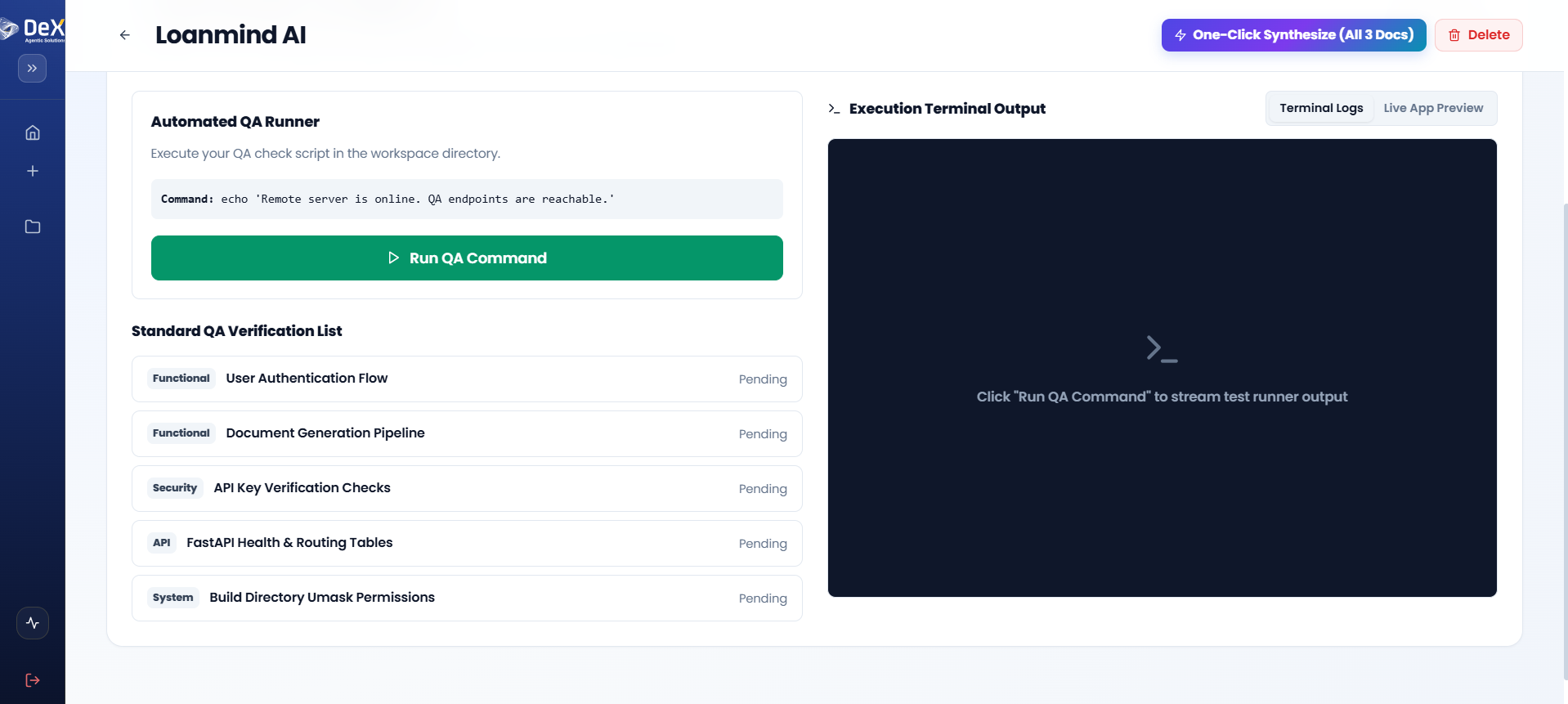
⏱️ At a Glance DeX automatically tests your compiled build — functionality, security, API health, and system integrity — before you're allowed to deploy. Click Run QA, watch results stream in, fix anything flagged, re-run until everything's green.
Purpose: Validate the generated application through automated testing to ensure functionality, security, and system stability before deployment.
📍 Pipeline position: Stage 7 of 9 — see the full pipeline map.
DeX provides an Automated QA Runner with configurable test suites covering multiple validation categories.
QA Verification Categories
| Category | Example Checks |
|---|---|
| Functional | User Authentication Flow, Document Generation Pipeline |
| Security | API Key Verification, Authorization checks |
| API | FastAPI Health & Routing Tables |
| System | Build Directory Permissions, File integrity |
Steps
- After completing Stage 6 — Code, navigate to Stage 7 – QA.
- Review the Standard QA Verification List — items are pre-populated based on your project stack.
- Click Run QA to execute the automated test suite.
- Observe results in the Execution Terminal Output panel in real time.
- Switch between:
- Terminal Logs — Detailed execution output
- Live App Preview — Visual validation of the running application
⚠️ If any checks fail, return to Stage 6 – Code to resolve the issues, then re-run the QA suite before proceeding to deployment.
Worked Example — Contractor Sync QA Run
The Standard QA Verification List auto-populated for Contractor Sync's stack (Flutter + FastAPI + PostgreSQL/PostGIS) included:
| Category | Check | Result |
|---|---|---|
| Functional | Geofence boundary validation (inside/outside radius) | ✅ Passed |
| Functional | Facial verification retry/flag logic | ✅ Passed |
| Security | JWT token expiry and refresh handling | ✅ Passed |
| Security | Biometric data not persisted beyond verification window | ⚠️ Failed — flagged for fix |
| API | FastAPI route health checks | ✅ Passed |
| System | Build directory file integrity | ✅ Passed |
The flagged biometric storage issue sent the team back to Stage 6 – Code to patch the image-cleanup logic in the verification service before re-running QA. On the second run, all checks passed and the project moved to Stage 8.
What's Next
➡️ Stage 8 — Deployment — Release the validated application into a live cloud preview.